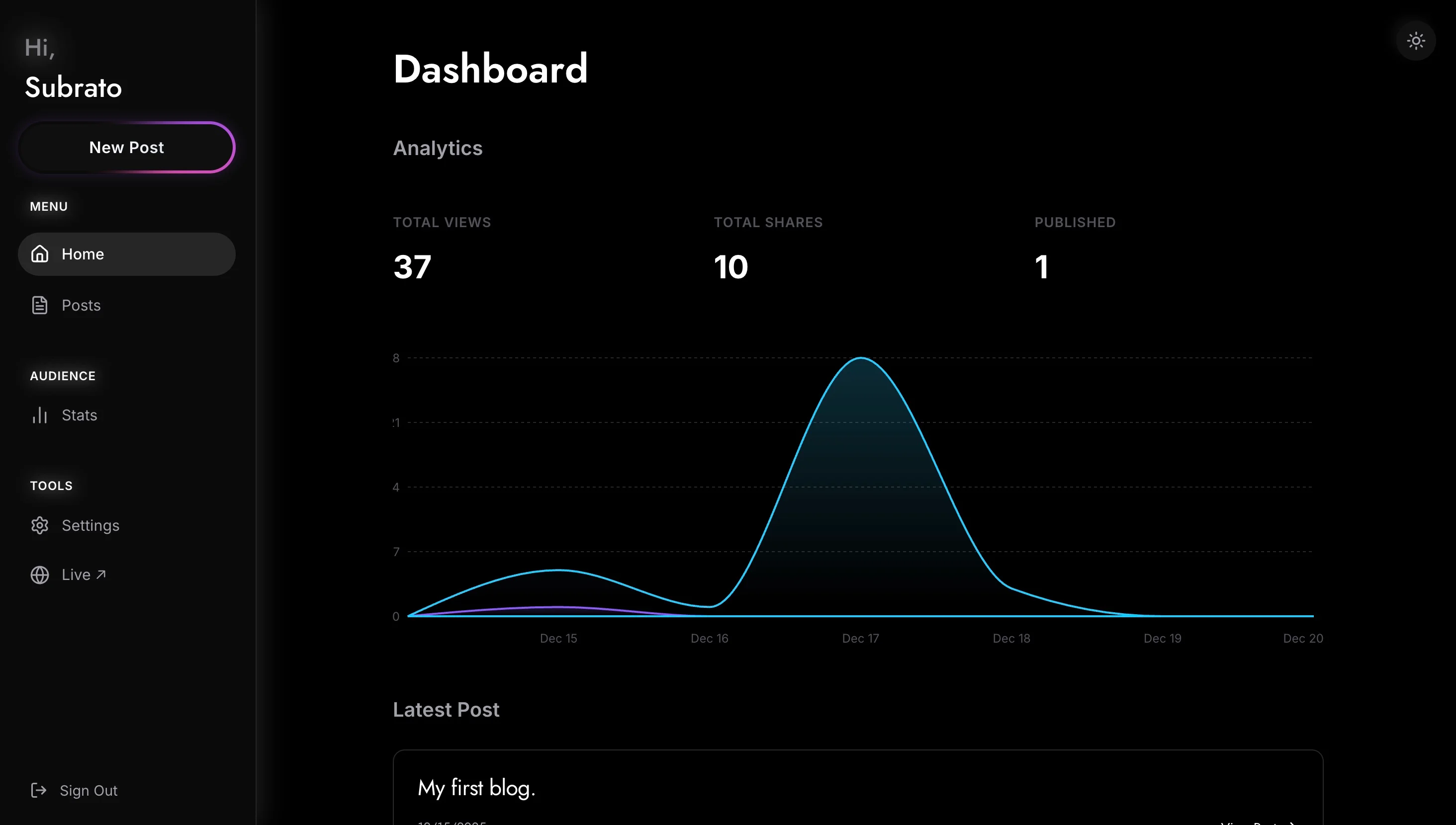
Dyeink is a minimal blogging platform for writers who just want to write. It started as a reaction to how heavy modern publishing tools had become — you open them to jot down a paragraph and get buried in toolbars, settings, and prompts to share to seven different places. Dyeink strips all of that out. You open it, you write, you publish.

Problem Statement
Most blogging platforms optimize for the platform, not the writer. Substack pushes you to build a mailing list. Medium has engagement widgets. WordPress is powerful but asks you to manage plugins, themes, and updates. For someone who just wants a small, calm space to publish thoughts — something closer to a personal notebook — none of these fit. The alternative is rolling your own site, which becomes yet another project that distracts from actually writing.
Solution
Dyeink gives you a quiet, fast editor and a clean reading experience, and handles the infrastructure invisibly. You sign in, write in a distraction-free editor, and publish in one click. The site runs on React + Vite for instant page loads, Supabase handles auth and storage, and the whole thing is responsive down to a phone. You can connect a custom domain so your blog lives at your own URL, not behind someone else’s brand.
Architecture
- Frontend: React, built with Vite for instant dev reloads and a tiny production bundle. Routing via React Router, global client state managed by Zustand. I picked Zustand over Redux Toolkit because the store is small — a couple of slices for auth and drafts — and Zustand’s API has no boilerplate.
- Language: TypeScript everywhere. The schema for posts is typed end-to-end from the database row down to the editor props.
- Styling: Tailwind CSS. The design system is a handful of spacing and color tokens; Tailwind lets me enforce them without writing a style system.
- Backend: Supabase, which gives me a hosted Postgres database, auth, and Row Level Security (RLS) in one package. RLS policies enforce that a user can only read their own drafts but anyone can read published posts.
- Database: PostgreSQL, managed by Supabase. Posts table has
(id, author_id, slug, title, content, status, published_at). A unique index on(author_id, slug)keeps URLs stable per author. - Auth: Supabase Auth, session persistence handled via local storage (the Supabase JS SDK handles refresh).
- Host: Cloudflare Pages for the static frontend. Docker image also provided for self-hosters.

Features
Writing
A minimalistic text editor that gets out of your way. No toolbars hovering over your cursor — formatting is markdown-first with keyboard shortcuts for the common cases. Autosave runs every few keystrokes so nothing is ever lost.
Design
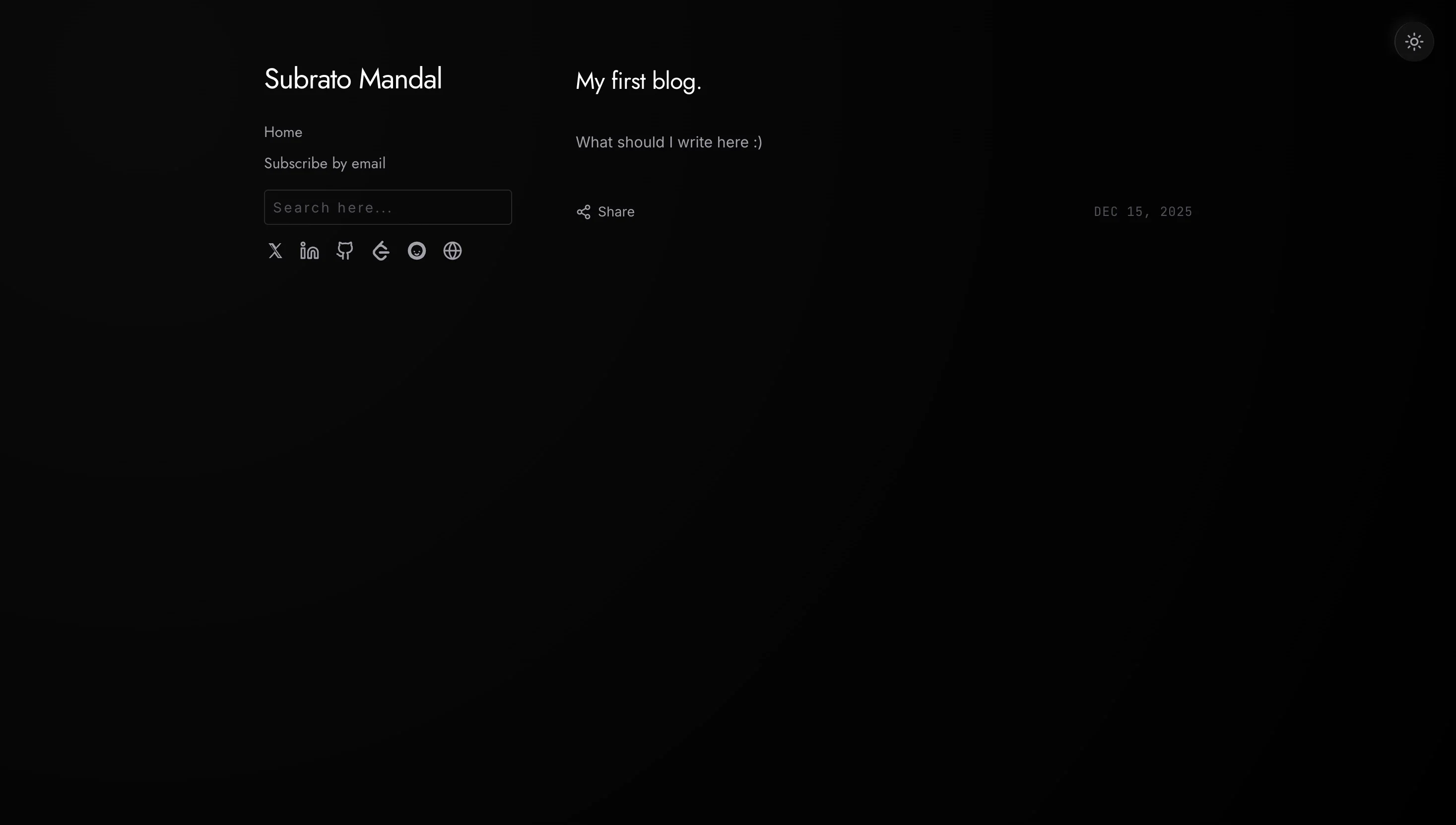
A carefully crafted dark mode and responsive layout. The reading view uses generous line-height and a constrained column width (~65 characters) because that’s what feels right to read for more than a paragraph.
Identity
Connect your own custom domain easily. Drop a CNAME, register the domain in the dashboard, and your blog is live on your URL within minutes.
Security
Authentication and data protection handled by Supabase Auth + Row Level Security. Users can only touch their own drafts, published posts are read-only to the public, and everything is over HTTPS by default.
Performance
Built on React + Vite. Initial load is a thin HTML shell with a hydrating React bundle. Post content is fetched from Postgres and cached aggressively via the HTTP cache and Supabase’s client-side caching.
Notable Learnings
RLS beats application-level checks
My first pass had an auth check in every API handler: if (post.author_id !== user.id) return 403. It worked, but one missing check would leak data. Moving to Postgres Row Level Security meant the database itself refuses to return rows the user shouldn’t see — the application code can’t accidentally bypass it. The policies are a few lines each and they apply to every query, including joins I hadn’t written yet.
Minimal state is the feature
The hardest part of building an editor-first product is resisting the urge to add features. Every toolbar button, autocomplete suggestion, and AI assist is a thing the user has to ignore to keep writing. I benchmarked the feature list against “does this help someone write faster or better?” If not, it didn’t ship.
Custom domains via a reverse proxy
Supporting per-user custom domains on a static host takes some plumbing — the host’s domain API handles the cert issuance, but I still needed to map incoming Host headers to the right blog. The Host header is passed to a small edge function that looks up the owner and rewrites the path to /blog/<author>. No DNS weirdness on the user’s end.