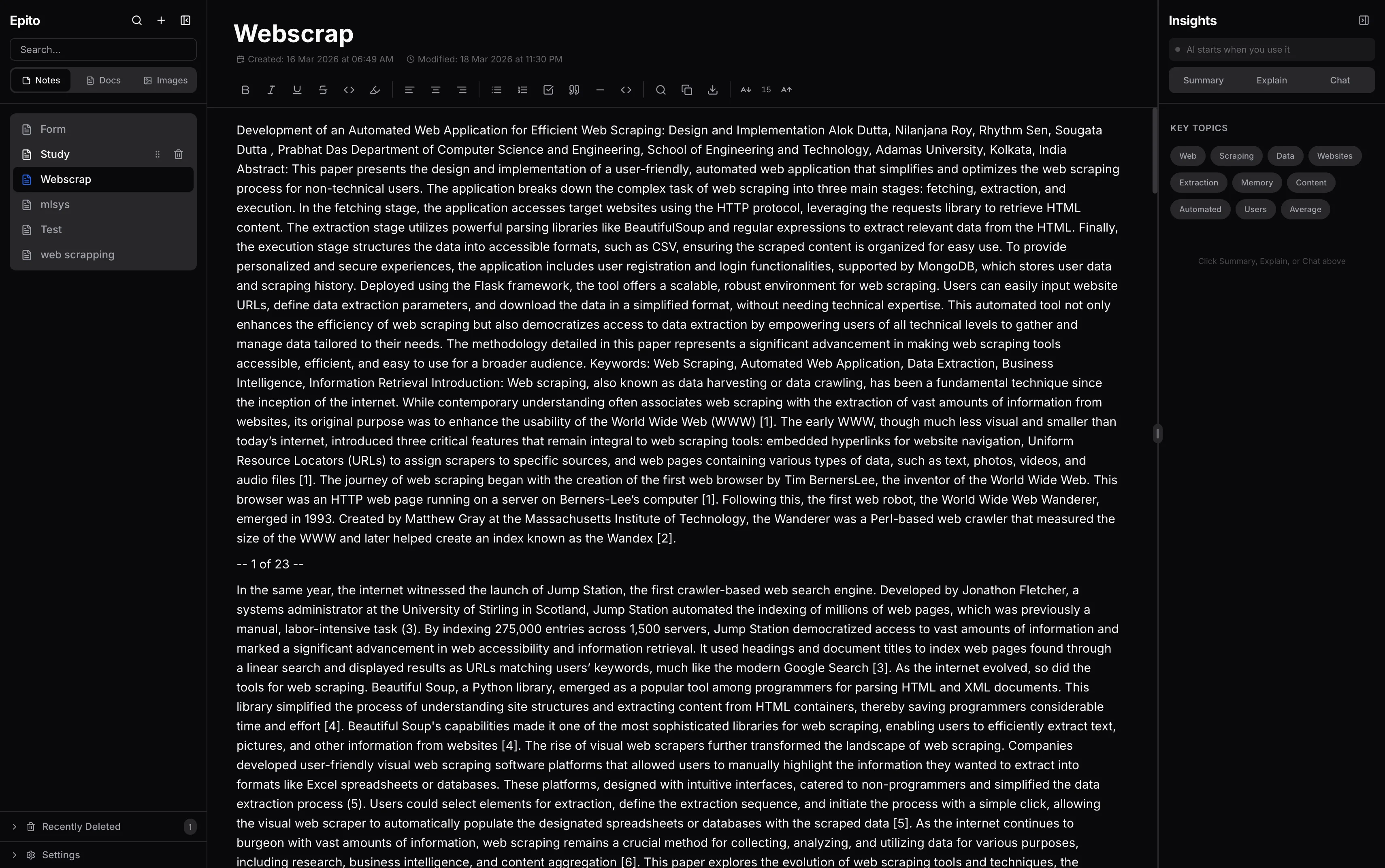
Epito is a desktop note-taking app with a local language model baked in. You write in a TipTap editor, your notes live in an encrypted SQLite database on your own machine, and AI features — summarize, explain, chat with your notes — run against a llama.cpp model that only spins up when you ask for it. Nothing leaves the device. It ships as a Tauri app on macOS, Windows, and Linux.
I built it because every note-taking app that added AI also added a cloud dependency. I wanted a tool that was actually private — the kind of thing I’d feel fine writing journal entries, meeting notes, or work-in-progress code into.
Problem Statement
The mainstream direction for “AI-native” note apps is to sync everything to a vendor’s servers and run the model there. That buys you nice features but makes privacy impossible: your notes are visible to the platform, retained on their infrastructure, and subject to whatever policy change or breach happens next. For a lot of people — journalists, researchers, engineers with NDA’d work, anyone in a sensitive job — that’s a non-starter.
The opposite extreme (no AI at all) means giving up real productivity wins. Semantic search across a year of notes, a one-click summary of a long document, and “explain this highlighted passage” are genuinely useful when they work. The problem isn’t AI — it’s AI that requires you to hand over your data.
Solution
Epito runs the entire pipeline locally:
- Editor: A rich TipTap editor in a Next.js frontend, embedded inside a Tauri desktop shell.
- Storage: SQLite via
better-sqlite3, with AES-256-GCM for sensitive settings. Your notes file is a single.dbon your disk. - Embeddings & semantic search:
all-MiniLM-L6-v2run via@xenova/transformers(ONNX) directly in the Node side of the Tauri app. Vectors are stored in-memory and matched with cosine similarity. - LLM inference:
llama.cppserver is spawned on demand by the Rust side of Tauri. The first time you ask the AI for a summary, the model loads; after 30 seconds of idle it unloads and the process dies. GPU is auto-detected (CUDA > Vulkan > CPU) and the layer count is chosen from your available VRAM. - Export: HTML → PDF / DOCX / PNG with real A4 pagination via Puppeteer-core, html2canvas, and jsPDF.
No network calls are made for any of this. You can unplug your laptop, fly across an ocean, and every feature still works.
Architecture
- Frontend — Next.js 14 App Router + React 18 + TipTap. The editor, sidebar (notes/docs/images), viewer, search dialog, and AI panel (summary / explain / chat) are all React components. Styling is Tailwind with
tailwind-merge+clsxfor variant handling. - Desktop shell — Tauri 2 (Rust). The Rust side owns the window, spawns the Node.js process for app logic, manages the
llama-serverlifecycle, detects GPU/VRAM, handles DPI on Windows via DWM APIs, and coordinates graceful shutdown. - API / app layer — Next.js API routes inside the embedded Node runtime. REST endpoints for notes CRUD, search, OCR, and AI generation. A thin middleware layer handles CSRF and sets security headers.
- Inference pipeline —
inference/pipeline.tshandles chunking, embedding generation, topic extraction, and RAG context assembly.inference/lifecycle.tsgates task concurrency so a user can’t accidentally spawn five models at once. - LLM runtime —
model/llm.tsmanages thellama-serversubprocess: starts it on first AI task, streams chat tokens back, clears the KV cache after inference, and kills the process after 30 seconds of idle to reclaim VRAM. - Embeddings & vector search —
memory/embeddings.tswraps@xenova/transformersfor local ONNX inference.memory/vector.tskeeps an in-memory index with cosine similarity lookups. For a personal note corpus this is plenty fast — no need for a disk-backed vector DB. - Notes & storage —
notes/database.tsis the SQLite layer. Notes, documents, images, and their metadata all live in one database file.notes/encryption.tswraps AES-256-GCM for the handful of settings that are sensitive (API keys if you ever add an external provider, model download paths, etc.). - OCR —
inference/ocr.tspicks between PaddleOCR, Tesseract.js, andpdf-parsedepending on the input. Scanned PDFs get OCR’d; native PDFs are parsed directly; images go through Tesseract. - Export — PDF via Puppeteer-core (proper pagination), DOCX via
html-to-docx, and PNG via html2canvas + jsPDF for the snapshot case. A4 page breaks are inserted by the exporter based on content height.
Features
Editor
- Rich-text editing via TipTap (headings, lists, task lists, code blocks with syntax highlighting, images, links, text alignment).
- Debounced autosave to SQLite — there is no “save” button; the file on disk is always current.
- Syntax highlighting via
lowlightfor code blocks inside notes.
Semantic search
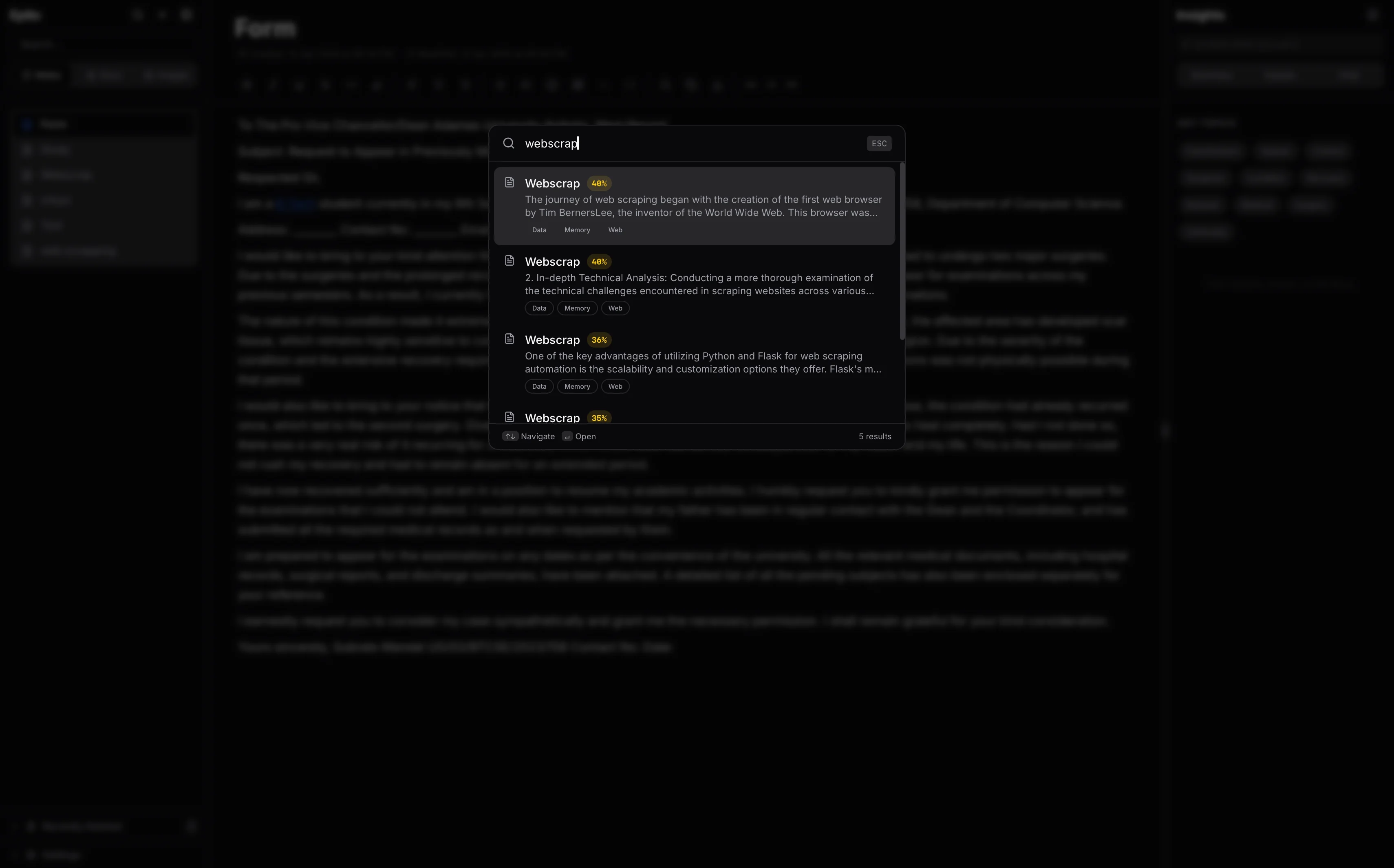
- Every note is chunked and embedded on save, in the background.
- Global search dialog (Ctrl/Cmd+K style) ranks results by cosine similarity against the query’s embedding.
- Text-matching fallback ensures keyword queries still work even when the embedding pipeline is warming up.
AI panel
- Summarize: produces a short summary of the current note or document.
- Explain: takes a selected passage and explains it in plain language, stepping through the logic.
- Chat with notes: RAG-style — retrieves the most relevant chunks across your entire note database and feeds them to the model as context, then answers the user’s question.
Documents and images
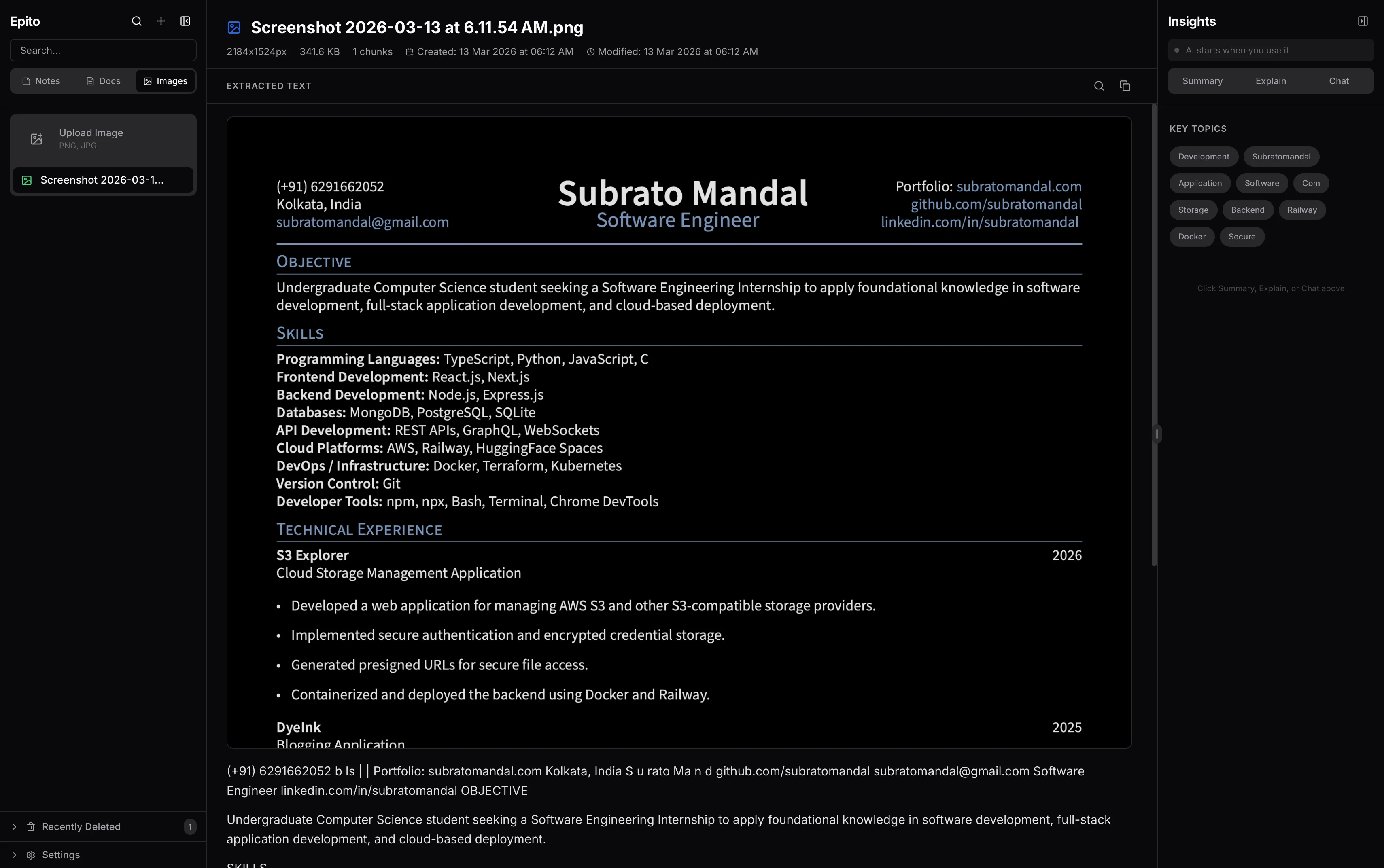
- Drop a PDF or image into the app, it gets OCR’d and stored.
- Documents are viewable in a dedicated viewer, searchable alongside notes, and usable as AI context.
Export
- PDF: print-quality A4 pagination.
- DOCX: for when you need to hand a document to someone on Word.
- PNG: snapshot-style export of a single note as an image.
Notable Learnings
Local LLMs need aggressive idle management
The naive version kept llama-server running for the whole session. On a 7B model that meant 5+ GB of VRAM pinned forever, even while the user was just typing. I moved to an on-demand model: first AI task starts the server, the KV cache is cleared right after inference, and if 30 seconds pass without another AI request the process is killed. Memory snaps back instantly. The first token after idle costs a couple of seconds of warm-up, but that’s an acceptable tradeoff for not hogging the GPU.
Tauri + Next.js is a great combo for AI-heavy apps
Electron would have worked but the footprint is rough. Tauri lets the Rust side handle the OS-native concerns (GPU detection, process management, shutdown signaling) while the Next.js frontend runs in a webview with full modern React tooling. The production binary is ~20–40 MB vs. 150+ MB for an equivalent Electron app.
Signal files over IPC for shutdown
The Node side and Rust side have to coordinate during shutdown — you don’t want the Rust process to exit while Node is still writing a note to SQLite. I tried a few IPC approaches; the simplest and most reliable was signal files: Node writes a small file to a known path when it wants to exit, Rust polls every 200ms and acknowledges. Poll-based coordination sounds crude, but it’s resilient to both sides crashing and trivial to debug.
In-memory vectors are fine for personal corpora
I initially designed around a proper disk-backed vector store (faiss, hnswlib, etc.). Then I measured: even with thousands of notes, the embedding vectors fit comfortably in memory and cosine similarity across the whole corpus takes a few milliseconds. I ripped out the vector DB and replaced it with a plain array + typed-array math. Fewer dependencies, faster startup, easier to reason about.
GPU detection is platform hell
Detecting CUDA on Linux is easy, Vulkan is trickier, and doing it all on Windows while also respecting the user’s power-saving settings requires calling DWM and power APIs from Rust. A chunk of src-tauri/src/native_win.rs exists purely to make Windows behave. Mac is the simplest — Metal is just there.